# Download and get started with Stockfish
## Get started
1. [**Download Stockfish**](#official-downloads) from the official page.
Stockfish is completely free.
2. [**Download a GUI**](#download-a-chess-gui).
A GUI (Graphical User Interface) is needed to conveniently use Stockfish; both free and commercial GUIs exist. Some GUIs provide an opening explorer or automatic game analysis.
3. [**Install Stockfish into the GUI**](#install-in-a-chess-gui).
See that guide for several GUIs; if your GUI isn't listed, follow its manual.
4. [**Configure Stockfish**](#change-settings) settings
Check out our [FAQ](Stockfish-FAQ#optimal-settings) for recommended settings.
## Download Stockfish
### Official downloads
#### Latest release
- https://stockfishchess.org/download/
- https://github.com/official-stockfish/Stockfish/releases/latest
#### Latest development build
- https://github.com/official-stockfish/Stockfish/releases?q=prerelease%3Atrue
> [!NOTE]
> We **only** recommend downloading from the [official GitHub releases](https://github.com/official-stockfish/Stockfish/releases?q=prerelease%3Atrue).
> Websites such as Abrok are third parties, so we cannot guarantee the safety, reliability, and availability of those binaries because we are not responsible for them.
### Choose a binary
In order of preference:
1. `x86-64-avx512icl`
- Intel: 10th Gen Mobile Core (Ice Lake) and 11th Gen Core (Rocket Lake).
- AMD: Ryzen 7000 series (Zen 4) and newer.
2. `x86-64-vnni512`
3. `x86-64-avx512`
- Intel: Core i9 X-series (Skylake-X and Cascade Lake-X).
4. `x86-64-avxvnni`
- Intel: 12th Gen Core (Alder Lake) and newer.
5. `x86-64-bmi2`
- Intel: 4th Gen Core (Haswell) and newer.
- AMD: Ryzen 5000 series (Zen 3).
6. `x86-64-avx2`
- Intel: 4th Gen Core (Haswell) and newer.
- AMD: Excavator, Ryzen 1000 (Zen), 2000 (Zen+), and 3000 (Zen 2) series.
7. `x86-64-sse41-popcnt`
- Intel: (2008+). 1st to 3rd Gen Core.
- AMD: (2011+). Bulldozer, Piledriver, and Steamroller (FX series).
8. `x86-64`
- Any 64-bit capable processor but offers the least performance.
---
## Download a Chess GUI
A chess graphical user interface allows you to interact with the engine in a user-friendly way. Popular GUIs are:
### Free
#### Computer
| **[En Croissant](https://www.encroissant.org/)** ([source code](https://github.com/franciscoBSalgueiro/en-croissant))
[How to install Stockfish](#en-croissant)
[Change settings](#en-croissant-1) | **[Nibbler](https://github.com/rooklift/nibbler/releases/latest)** ([source code](https://github.com/rooklift/nibbler))
[How to install Stockfish](#nibbler)
[Change settings](#nibbler-1) |
|:---|:---|
| [![][encroissant]][encroissant] | [![][nibbler]][nibbler] |
| **[Arena](http://www.playwitharena.de/)**
[How to install Stockfish](#arena)
[Change settings](#arena-1) | **[Lichess Local Engine](https://github.com/fitztrev/lichess-tauri/releases/latest)** ([source code](https://github.com/fitztrev/lichess-tauri)) (**WIP**)
[How to install Stockfish](#lichess-local-engine)
[Change settings](#lichess) |
| [![][arena]][arena] | [![][lichesslocalengine]][lichesslocalengine] |
| **[BanksiaGUI](https://banksiagui.com/download/)** | **[Cutechess](https://github.com/cutechess/cutechess/releases/latest)** ([source code](https://github.com/cutechess/cutechess)) |
| [![][banksia]][banksia] | [![][cutechess]][cutechess] |
| **[ChessX](https://chessx.sourceforge.io)** ([source code](https://sourceforge.net/projects/chessx/)) | **[LiGround](https://github.com/ml-research/liground/releases/latest)** ([source code](https://github.com/ml-research/liground)) |
| [![][chessx]][chessx] | [![][liground]][liground] |
| **[Lucas Chess](https://lucaschess.pythonanywhere.com/downloads)** ([source code](https://github.com/lukasmonk/lucaschessR2)) | **[Scid vs. PC](https://scidvspc.sourceforge.net/#toc3)** ([source code](https://sourceforge.net/projects/scidvspc/)) |
| [![][lucaschess]][lucaschess] | [![][scidvspc]][scidvspc] |
| **[XBoard](https://www.gnu.org/software/xboard/#download)** ([source code](https://ftp.gnu.org/gnu/xboard/)) | **[jose](https://peteschaefer.github.io/jose/)** ([source code](https://github.com/peteschaefer/jose))
[How to install Stockfish](#jose) |
| [![][xboard]][xboard] | 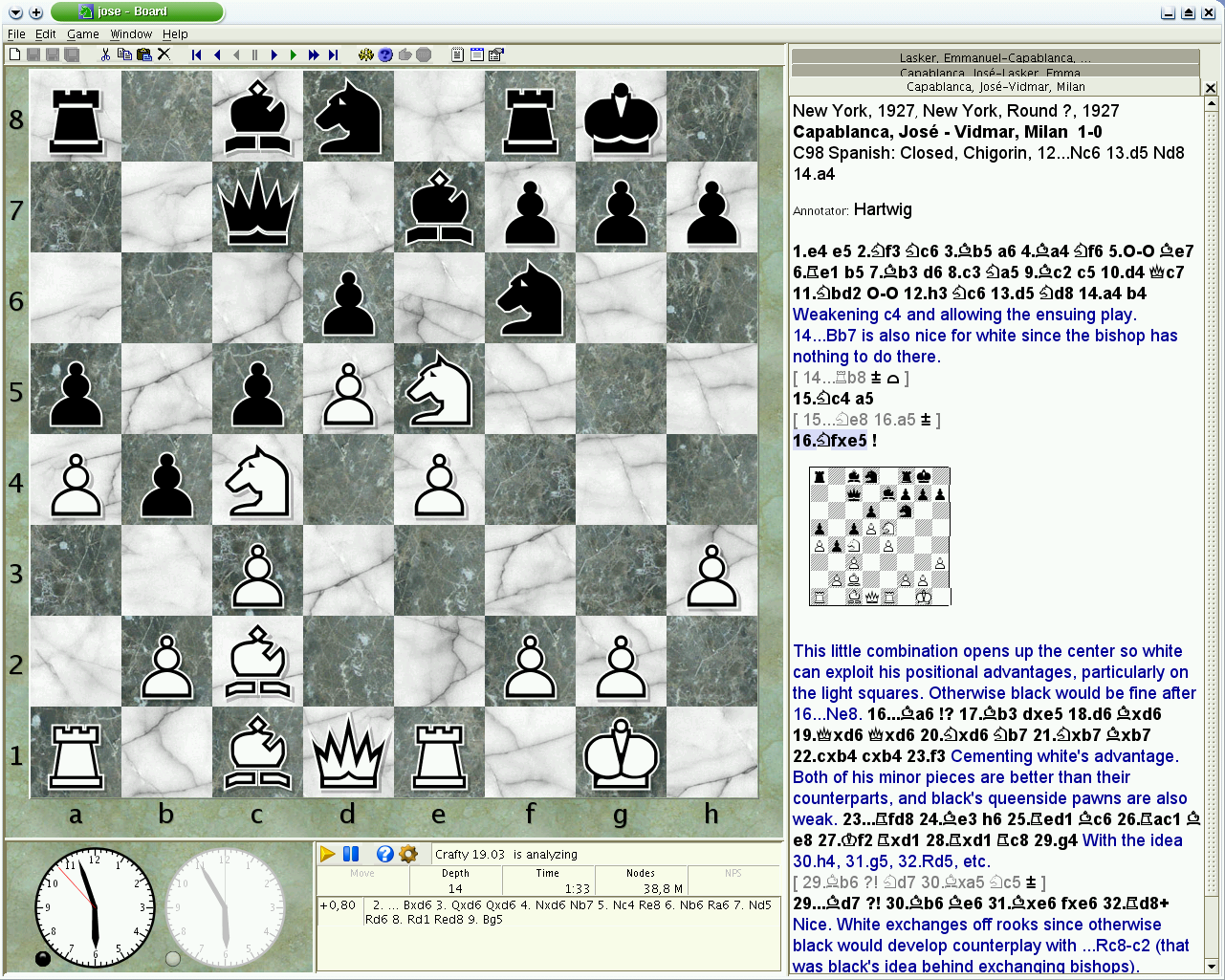 |
#### Mobile
| **[DroidFish](https://f-droid.org/packages/org.petero.droidfish/)** ([source code](https://github.com/peterosterlund2/droidfish)) | **[SmallFish](https://apps.apple.com/us/app/smallfish-chess-for-stockfish/id675049147)** |
|:---|:---|
| [![][droidfish]][droidfish] | [![][smallfish]][smallfish] |
| **[Chessis](https://play.google.com/store/apps/details?id=com.chessimprovement.chessis)** | |
| [![][chessis]][chessis] | |
### Paid
| **[Chessbase](https://shop.chessbase.com/en/categories/chessprogramms)** | **[Hiarcs](https://www.hiarcs.com/chess-explorer.html)** |
|:---|:---|
| [![][chessbase]][chessbase] | [![][hiarcs]][hiarcs] |
| **[Shredder](https://www.shredderchess.com/)** | |
| [![][shredder]][shredder] | |
### Online
> [!NOTE]
> If you don't want to download a GUI, you can also use some of the available online interfaces. Keep in mind that you might not get the latest version of Stockfish, settings might be limited and speed will be slower.
| **[Lichess](https://lichess.org/analysis)**
[Change settings](#lichess) | **[Chess.com](https://www.chess.com/analysis)**
[Change settings](#chesscom) |
|:---|:---|
| [![][lichess]][lichess] | [![][chesscom]][chesscom] |
| **[ChessMonitor](https://www.chessmonitor.com/explorer)** | **[Chessify](https://chessify.me/analysis)** |
| [![][chessmonitor]][chessmonitor] | [![][chessify]][chessify] |
| **[DecodeChess](https://app.decodechess.com/)** | |
| [![][decodechess]][decodechess] | |
---
## Install in a Chess GUI
### En Croissant
Engines tab > Add new > Install Stockfish

### Arena
1. Engines > Install New Engine...

2. Select and open the Stockfish executable

### Nibbler
1. Engine > Choose engine...

2. Select and open the Stockfish executable

### Lichess Local Engine
1. Log in with Lichess


2. Click the Install Stockfish button

3. Go to the Lichess analysis page
https://lichess.org/analysis
4. Select the engine from the engine list

### jose
Stockfish is already bundled with jose. To enable it for play and analysis do:
1. Edit > Options (F9)
2. select the 'Engine' tab
3. select Stockfish in the list of engines
4. below, you can edit all the engine parameters
---
## Change settings
> [!NOTE]
> Please check our [FAQ guide](Stockfish-FAQ#optimal-settings) to set the optimal settings.
### Arena
> [!NOTE]
> First uncheck these two settings
>
> 
Right click in the engine name > Configure


### Nibbler
Open the Engine menu

### En Croissant
Select Stockfish in the engines tab

or open the engine settings in the Analysis board

### Lichess
Open the engine settings

### Chess.com
Click the settings button in the [analysis page](https://www.chess.com/analysis?tab=analysis)


[encroissant]: https://github.com/official-stockfish/Stockfish/assets/63931154/e7b46c8a-6d96-49c7-b3a3-885a7a450037
[nibbler]: https://github.com/official-stockfish/Stockfish/assets/63931154/06d67bf8-4ed8-466f-a79d-c185c6103d51
[arena]: https://github.com/official-stockfish/Stockfish/assets/63931154/c166fda2-2fd2-45e2-9239-d24222e5fb71
[lichesslocalengine]: https://github.com/official-stockfish/Stockfish/assets/63931154/c5737058-befc-442f-8d65-75f151232269
[banksia]: https://github.com/official-stockfish/Stockfish/assets/63931154/8aae852c-31f7-4e47-998f-4086fb19681c
[cutechess]: https://github.com/official-stockfish/Stockfish/assets/63931154/67b6a236-3c50-4808-ad41-51a6c6299453
[chessx]: https://github.com/official-stockfish/Stockfish/assets/63931154/e0b3df75-ad90-4edf-a70e-b7781db7eca7
[lucaschess]: https://github.com/official-stockfish/Stockfish/assets/63931154/f4cf7eed-b74f-4e04-b962-fa44a3f2cba5
[liground]: https://github.com/official-stockfish/Stockfish/assets/63931154/75692235-227a-415f-8e39-1d8f21c36d92
[scidvspc]: https://github.com/official-stockfish/Stockfish/assets/63931154/d3d9ad5d-29f7-4675-be68-306195e53ca3
[xboard]: https://github.com/official-stockfish/Stockfish/assets/63931154/e336adf5-b5d7-47b4-81d2-5c276d174648
[droidfish]: https://github.com/official-stockfish/Stockfish/assets/63931154/f575a217-2153-45e3-be1d-223d4344fd44
[smallfish]: https://github.com/official-stockfish/Stockfish/assets/63931154/0ec44c5b-82de-4fb4-a662-63615a4a971a
[chessis]: https://github.com/official-stockfish/Stockfish/assets/63931154/fdcc0c02-5fe7-4b67-8fdf-ab3be4e7b4cd
[chessbase]: https://github.com/official-stockfish/Stockfish/assets/63931154/3fd2f64d-bb04-4b8e-b193-3aa53033d897
[hiarcs]: https://github.com/official-stockfish/Stockfish/assets/63931154/a1e7a951-a743-4e04-9029-c97f2550a773
[shredder]: https://github.com/official-stockfish/Stockfish/assets/63931154/66d0186c-9286-466e-95b5-8f88cbeb9214
[lichess]: https://github.com/official-stockfish/Stockfish/assets/63931154/cc6ea148-2a1a-4b61-a4fa-6af3b076e408
[chesscom]: https://github.com/official-stockfish/Stockfish/assets/63931154/f5b31849-0429-45d0-8dbc-758959352f9b
[chessmonitor]: https://github.com/official-stockfish/Stockfish/assets/63931154/d4f6d61b-3492-4c1f-998d-99d82252fd89
[chessify]: https://github.com/official-stockfish/Stockfish/assets/63931154/36cee80d-f63c-4ff9-97e9-5d51539589a8
[decodechess]: https://github.com/official-stockfish/Stockfish/assets/63931154/20042d29-b50b-4d37-b8f7-e6fb65c18e6a